
We tested the WordPress AI Assistant to understand how well it translates prompts into real, usable website layouts. It performs well for quick prototyping and basic structures, especially for simpler use cases. However, when pushed towards more complex, multi-section pages, the output becomes fragmented and requires manual intervention. The result: a useful starting point, but not a replacement for structured design and development workflows.
There’s a growing expectation that AI tools can compress what used to take days into minutes, especially when it comes to building websites. The promise behind the AI website builder WordPress offers is straightforward: describe what you want, and the system builds it. Cleanly. Completely. Without friction.
We wanted to see how close that promise is to reality.
So we approached the WordPress AI Assistant not as a feature to review, but as something to test under real conditions. Could it handle structured requirements? Could it generate usable layouts beyond basic templates? And more importantly, could it support the way design and development teams actually work?
What we found sits somewhere between impressive and incomplete.
How We Approached the Experiment
We structured our testing around two distinct use cases.
The first was a SaaS homepage that was intentionally detailed, conversion-focused, and structured. The kind of page that requires hierarchy, flow, and multiple interdependent sections. The second was a personal blog, which was more flexible, more expressive, and less rigid in layout expectations.
This gave us a useful contrast in how WordPress website development AI performs across structured and flexible use cases.
First Impressions: Surprisingly Accessible, Instantly Useful
The first thing that stands out is how easy the WordPress AI tool is to use. There’s very little friction in getting started. You enter a prompt, and within moments, you see a layout take shape.
There’s a certain immediacy to it that works in its favour. You’re not staring at a blank canvas. You’re reacting to something.
It also does a good job with familiar formats. Portfolio-style pages, simple content layouts, and standard structures come together quickly. For someone starting from scratch, that’s a good advantage.
Test Case 1: Can It Build a Complete SaaS Homepage?
The prompt we used
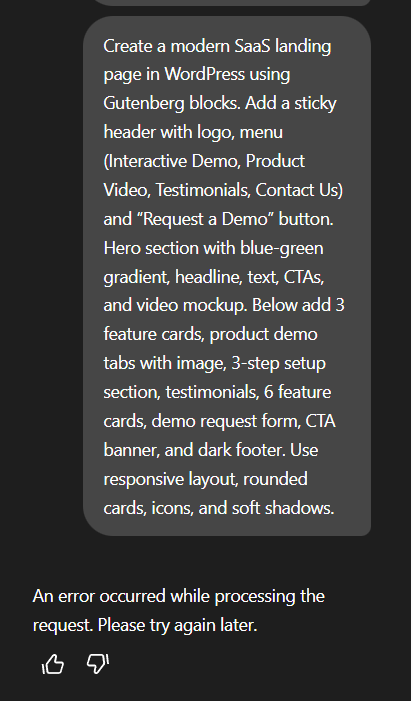
We gave the assistant a fairly detailed instruction about building a complete SaaS homepage with a sticky header, hero section, feature cards, product demos, testimonials, CTAs, and a footer - all structured in sequence, with a modern UI.
This wasn’t an edge case. It reflects a fairly standard requirement for any product-led website.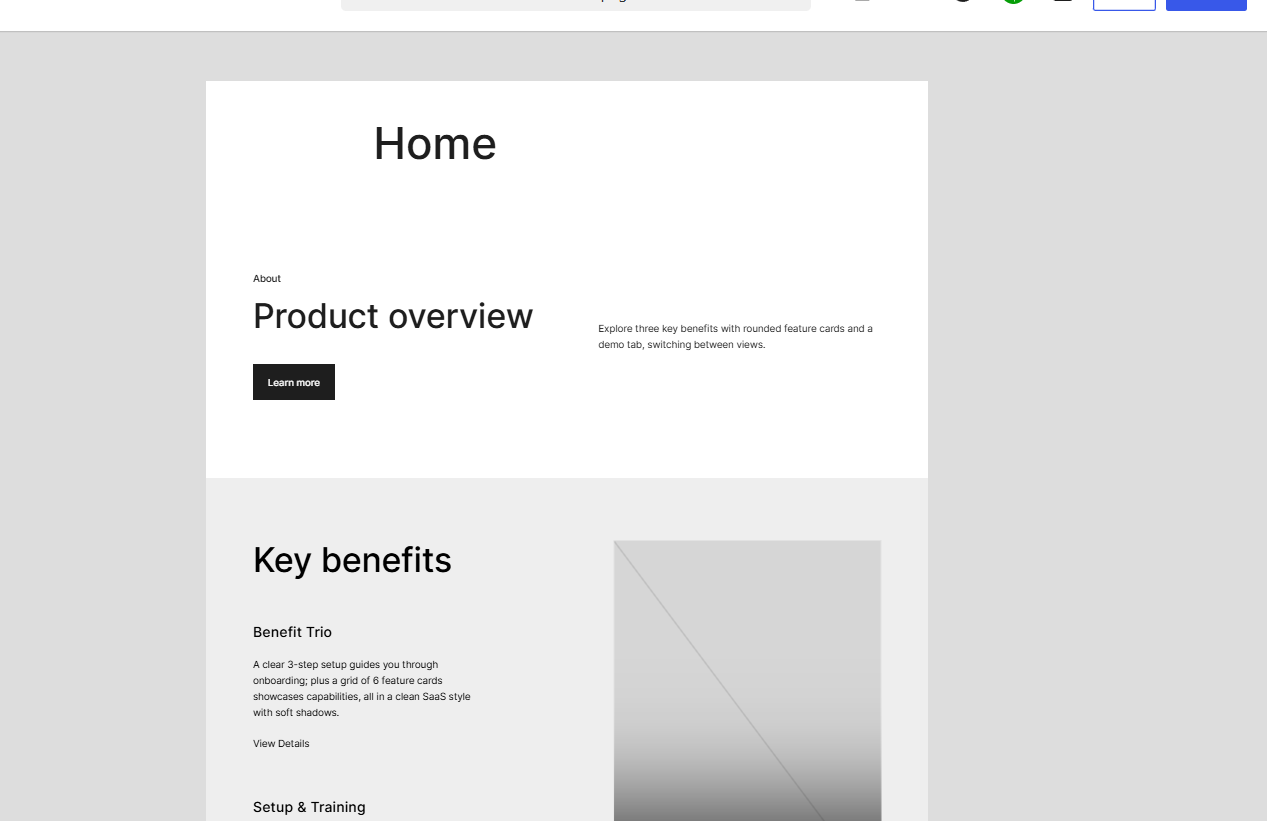
What the AI generated
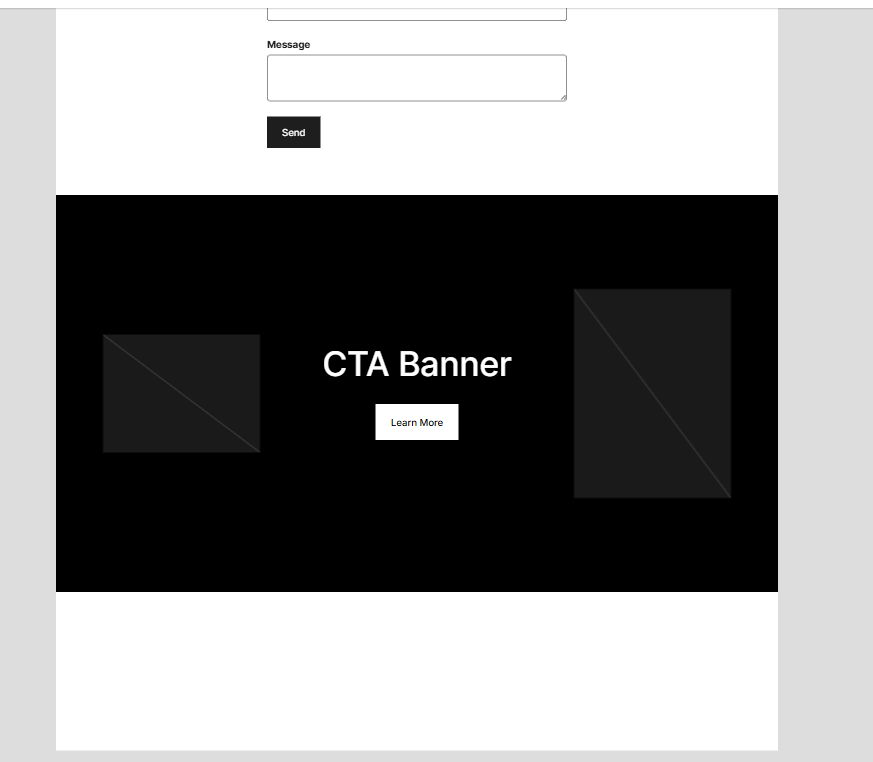
The output was partial.
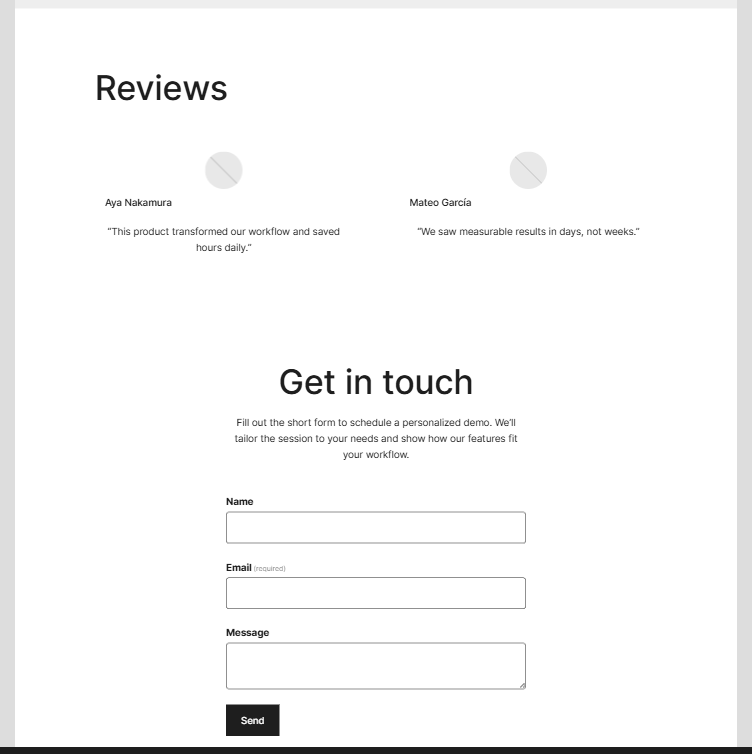
Some sections were created, but not all. The structure lacked continuity. The flow that we had explicitly defined in the prompt didn’t fully translate into the generated layout.
To complete the page, we had to step in and prompt the assistant again - section by section.
What this tells us
The assistant can generate components, but it struggles with assembling them into a cohesive whole when the requirements become layered. The more structured the request, the more fragmented the output.
This changes the interaction model. Instead of describing a complete page, you’re orchestrating it in parts.
Where the Tool Actually Delivers Value
Rapid layout prototyping
If the goal is to get to a starting point quickly, the assistant does that well. It reduces the time spent setting up initial sections and gives you something tangible to iterate on.
Gutenberg block generation
The output is built using Gutenberg blocks, which makes post-generation editing relatively straightforward. You’re not locked into the AI’s output, but you can reshape it.
Design suggestions (within limits)
The assistant can suggest basic visual directions, such as colours, fonts, and layout variations.
That said, these suggestions are generic. There’s no real control over defining a design system or aligning with an existing brand.
The Structural Limitations We Couldn’t Ignore
The constraints start to show up quickly once you move beyond basic use cases.
There are a few that consistently affect output quality:
- A 600-character limit per prompt
- No support for screenshots or design references
- Inconsistent translation of structured instructions
This has a direct impact on how you work with the tool. You’re no longer describing intent, but managing constraints.
The Workaround: Building Section by Section
To get closer to the intended outcome, we broke the page into smaller parts. Header, hero, features, testimonials, footer - each generated through separate prompts.
This approach does work, to an extent. It gives you more control over individual sections and allows you to refine output incrementally.
But it introduces its own set of challenges. The process becomes slower. Continuity between sections isn’t guaranteed. And you still need to step in to align spacing, hierarchy, and structure.
At that point, the assistant becomes part of the workflow, but not a shortcut through it.
Test Case 2: Pushing Creative Boundaries
The blog concept prompt
For the second test, we asked the assistant to build a personal blog - “Rochi’s Book Corner,” with a more relaxed, creative direction. The prompt was adapted from an example featured in a WordPress blog, which we used as a base for our experiment. We also asked for supporting elements like colour palettes, layout variations, and typography suggestions.
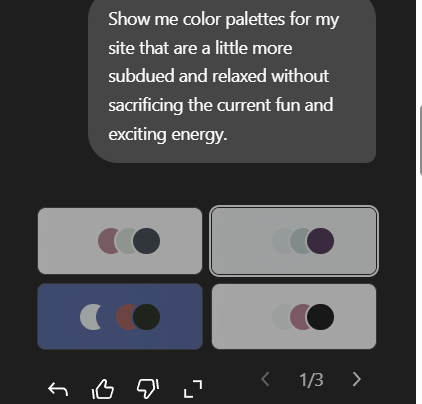
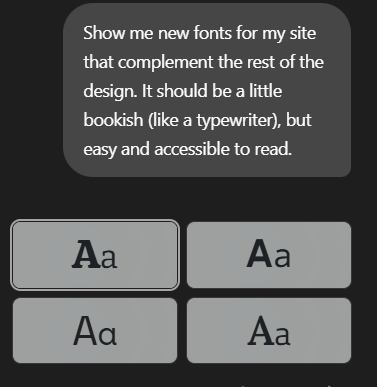
What worked
This is where the assistant felt more at ease. It generated ideas, variations, and suggestions that could serve as a starting point. The outputs weren’t precise, but they were directionally useful.
Where it broke
Things became unstable with even minor refinements.
A simple instruction like ‘make the buttons rounded,” resulted in layout issues. Sections shifted and the structure broke.
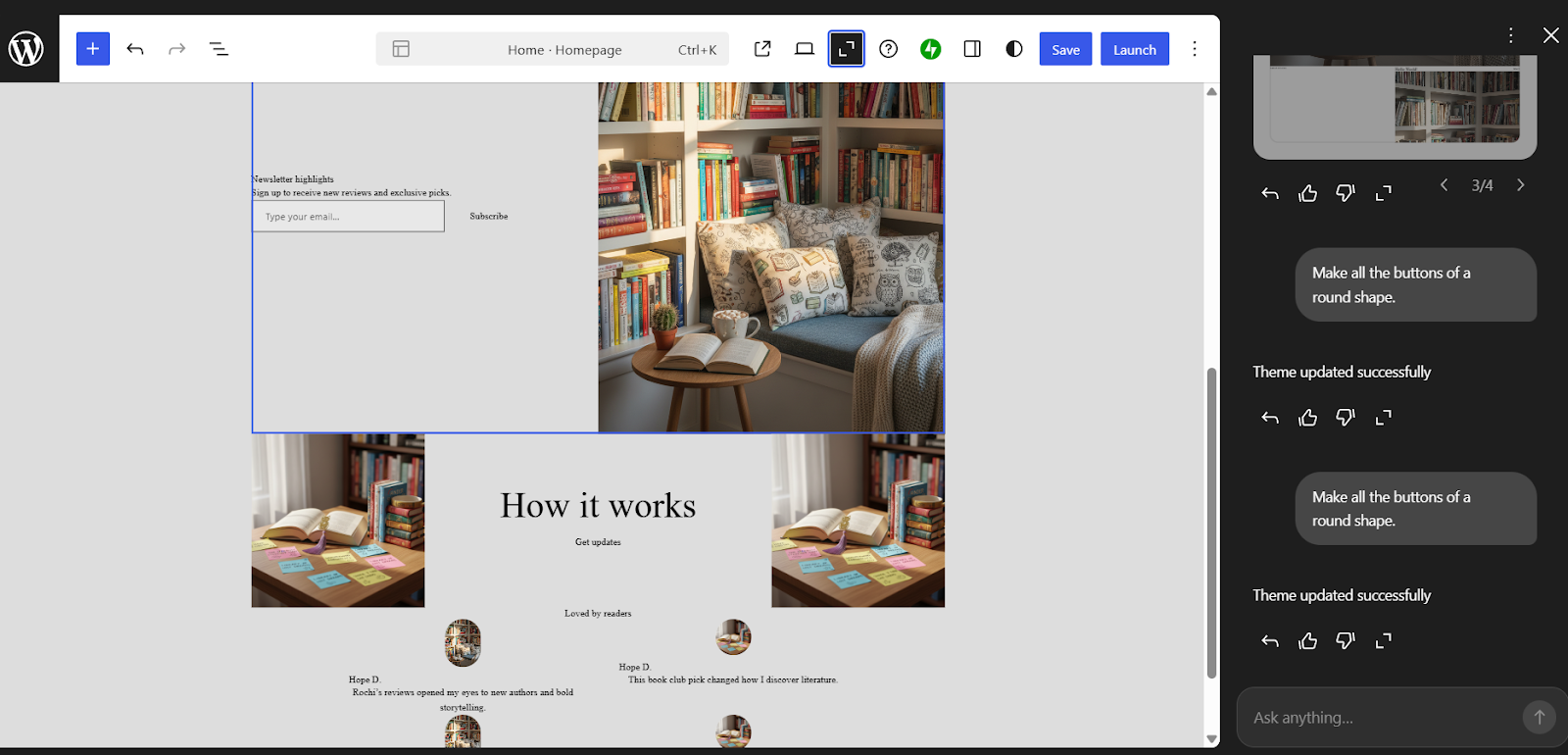
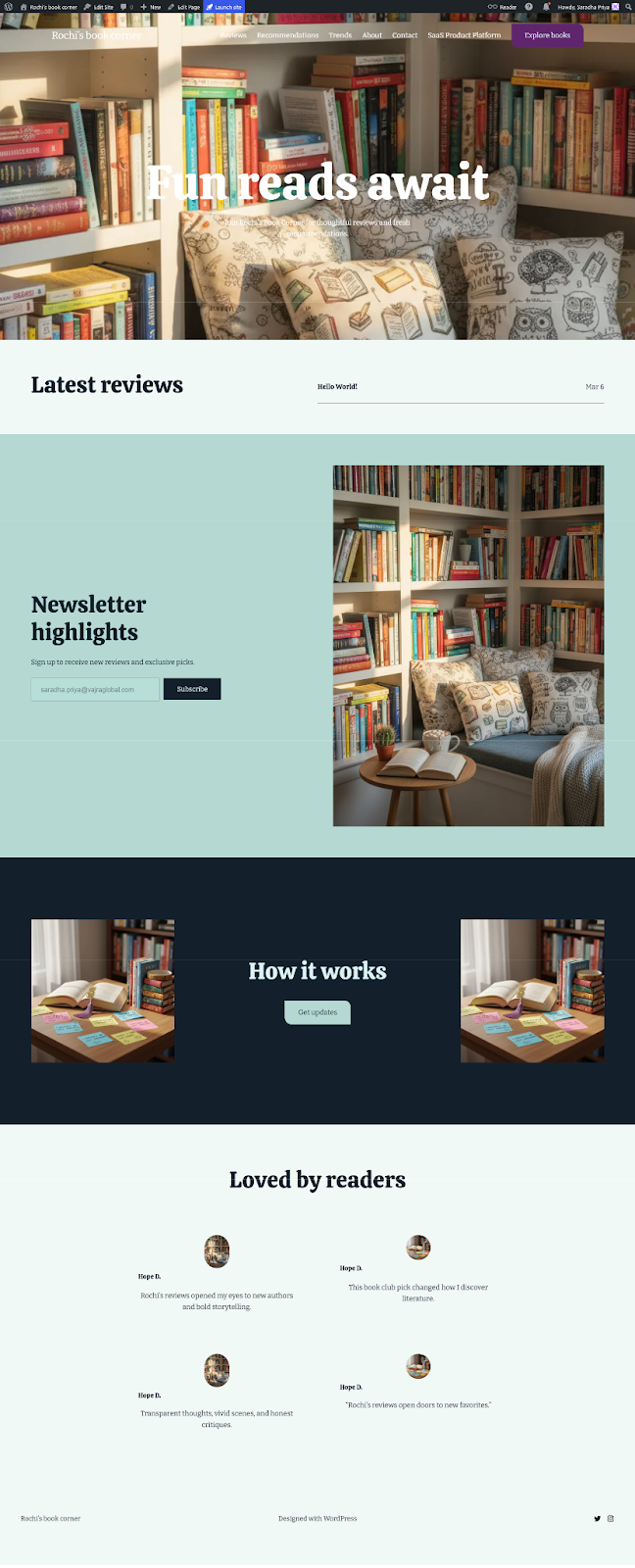
That fragility is important to note. While nothing might look wrong with the screenshot below, the output did not fully align with the requested structure. It suggests that while the assistant can generate, it doesn’t always sustain structure through iteration.
What This Means for Teams Using WordPress Today
The WordPress AI Assistant fits a certain type of user and use case quite well.
For beginners or non-designers, it lowers the barrier to entry. It helps translate ideas into something visible without requiring deep technical knowledge.
For teams, the role is more limited. If the requirement involves custom UI, brand consistency, or conversion-focused design, the assistant doesn’t replace existing workflows. It sits alongside them - useful in parts, but not central.
Our Take: Useful Assistant, Not a Replacement
The most useful way to think about this tool is in its name.
It’s an assistant.
It helps you get started. It speeds up early stages. It reduces the effort needed to move from idea to draft. But it doesn’t eliminate the need for design thinking or development rigour.
In practice, we would use it for:
- Early-stage ideation
- Quick layout drafts
- Exploring variations before committing to a direction
But not for final builds and definitely not where precision matters.
Where AI Website Builders Need to Go Next
There’s clear potential here, but a few gaps need to close before tools like this become more central to production workflows.
Better handling of long, structured prompts would make a significant difference. So would the ability to upload design references, such as screenshots, wireframes, or Figma files.
Continuity across sections is another critical piece. Generating components is one thing. Maintaining coherence across them is another.
Until then, the interaction remains fragmented.
Conclusion: The Gap Between Potential and Practical Use
The WordPress AI Assistant does a few things very well. It simplifies the starting point. It makes layout creation more accessible. It introduces a different way to think about building pages. But it also exposes the current limits of AI in structured design workflows.
That doesn’t diminish the growing role of AI in WordPress development. AI is already a part of how websites are built and will continue to evolve. So, the question is not whether it will be used, but how. Right now, it works best as an accelerator.
And for teams willing to experiment, that’s still worth paying attention to.
Authors

Naresh P
WordPress Lead
.svg)

Saradha Priya
WordPress Developer